Mastercam
Mastercam Port Expert Tutorial – Automate 5-Axis Machining of Complex Ports 5/5
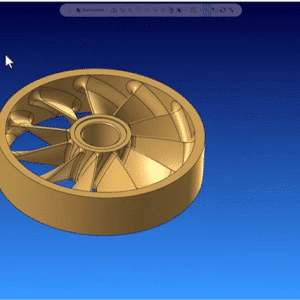
In this video, we will dive into the capabilities of PortExpert, a powerful multiaxis tool designed to automate and simplify machining.


Danny has over 35 years of experience in manufacturing. He has worked as a machinist and CNC programmer in several sectors, including oil and gas, aerospace, semiconductor, and mold making. He has been with MLC CAD Systems for over 20 years as a technical salesperson. In his spare time, he likes collecting stamps and bird watching.
In this video, we will dive into the capabilities of PortExpert, a powerful multiaxis tool designed to automate and simplify machining.
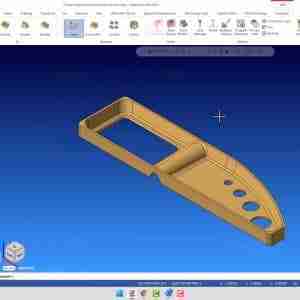
Blade Expert is an easy-to-use, custom application designed to generate efficient, smooth, and gouge-free toolpaths for these complex parts.
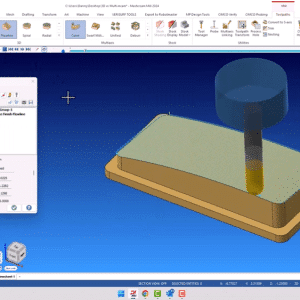
In this video, we will discuss when to use 3D machining and when to use multi-axis machining using the example of cutting simple tool paths. We will demonstrate the use of flowline toolpath in both conventional 3D and multi-axis perspectives. The aim is to convey the advantage of multi-axis machining in improving cycle times on a 5-axis machine by generating larger step overs, without compromising on the surface finish.
This Mastercam video tutorial explains how to use the 5-axis toolkit in Mastercam to automate your toolpaths.
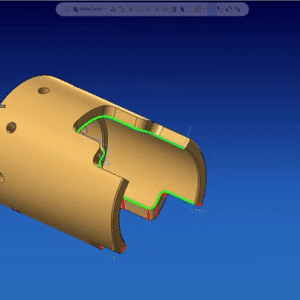
Curve drill 5-axis, as the name implies, is a multiaxis machining technique that allows for precise drilling or milling along a curved surface, offering exceptional control over complex shapes. Unlike traditional contour milling, which relies on axis substitution, curve drill 5x provides a more flexible and efficient solution for cutting irregular surfaces. This feature allows machinists to wrap a tool around intricate geometries and generate toolpaths that perfectly follow the desired curve, resulting in smooth and accurate machining operations.
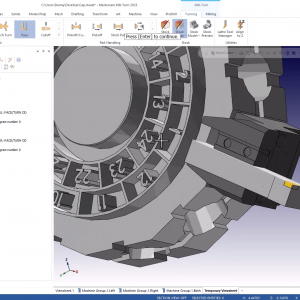
Learn how to add, modify, and save tools and tool holders on a Mastercam Mill Turn Turret in your project.
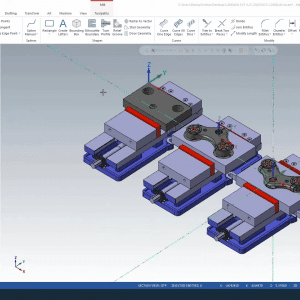
Explore the Mastercam WCS (World Coordinate System), Planes, Levels, Setup Sheets, and other features to help you master these features and stay productive.