Getting Started with Mastercam Lathe – Webinar

Getting Started with Mastercam Lathe: A Step-by-Step Guide

Welcome to the CAM Skills event for those embarking on their journey with Mastercam Lathe. In this session, Sherman Snyder, an experienced Mastercam Application Engineer, takes us through the foundational steps for creating a Mastercam Lathe program. With over 18 years in manufacturing, Sherman shares his expertise to help you streamline your machining processes. Let’s dive into this comprehensive guide aimed at beginners and experienced users alike.

The Basics of Mastercam Lathe

Sherman introduces us to the five core steps of creating a Mastercam Lathe program:

  1. Model Alignment and Machining Setup: Begin by aligning your model for efficient machining. This includes setting up your stock and creating personalized tools.

  2. Generating Toolpaths: Discover the simplicity of generating complex toolpaths in a few easy steps, a fundamental capability of any CAM software.

  3. Backplot, Verify and G-Code Generation: These steps ensure the accuracy of your machining process, crowned by the generation of G-code, which is crucial for machine execution.

Hands-On with Mastercam Lathe

Sherman demonstrates the process with a Mastercam 2021 project involving an MLC CAD pawn model. He walks through creating the program by:

    • Opening a new instance of Mastercam and importing the model.
    • Aligning the model using the model prep tool to fit the lathe’s requirements.
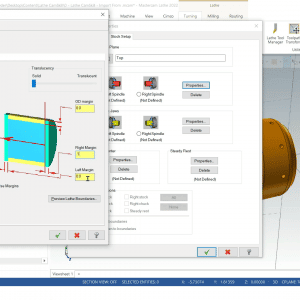
    • Setting up the machining environment with a default lathe and defining the stock.

Creating and Managing Tools

Managing tools is integral to the machining process. Sherman provides insights into:

    • Using Mastercam’s tool manager to access a library of standard tools and custom options.
    • Setting up custom libraries and exploring 3D tools for more comprehensive simulations.

Programming Operations

Sherman guides you through key programming operations, including:

    • Facing Operations: Simplifying the process of facing the part using structured toolpaths.
    • Engraving: Adding intricate details, such as engraving, to enhance your workpiece.
    • Stock Flip and Additional Operations: Maneuvering parts and executing a myriad of operations like stock transfer, chuck operations, and more.

Mastering C-Axis Capabilities

The session further sheds light on Mastercam’s C-axis features:

    • Implementing face contouring with wireframe chaining and solid mode approaches.
    • Leveraging milling tools within the lathe environment for comprehensive machining control.

Verification and G-Code

Verifying your operations and generating G-code are crucial final steps:

    • Sherman illustrates how to use backplotting and verification features to ensure precision.
    • He offers a glimpse into optimizing G-code output, including comments for clarity and tool lists for setup sheets.

About the author

Want to learn more about Mastercam Solutions?

Scroll to Top