
SOLIDWORKS
Simulate Smarter, Design Better, Product Faster
Why wait until the prototype phase to see your design in action? Discover the power of simulation and revolutionize your engineering process.


Jon Duffin is a SOLIDWORKS Technical Support Expert based in the Atlanta area. Prior to his career at MLC CAD Systems, he worked in the defense industry improving the manufacturing processes for Solid Fuel Rocket Motors. He immensely enjoys helping others improve their SOLIDWORKS productivity because it combines his love of engineering with the desire to help other people.
Why wait until the prototype phase to see your design in action? Discover the power of simulation and revolutionize your engineering process.

In today’s competitive business environment, having a skilled and knowledgeable team is critical to achieving success. That’s where MLC CAD Systems’ training solutions come in, allowing businesses to tap into hidden efficiencies and maximize productivity. Based on insights shared during a recent MLC CAD Systems webinar, this post explores how structured training can transform both individual and team capabilities.

Wondering whether to use a linear or non-linear solver for your design simulations? Discover the key differences and make informed decisions with our latest video!

Ever wondered how engineers predict design performance before prototyping? Find out how implicit and explicit solvers can give you that edge. Dive into the world of simulation with our Experts.

This webinar explores the powerful features & capabilities of SIMULIA Fluid Dynamics Engineer, designed to handle your largest CFD projects.

In this webinar, our SOLIDWORKS expert here at MLC CAD Systems shows you ways to receive Optimal Technical Support in SOLIDWORKS.
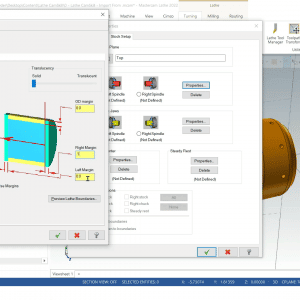
In this first video in a series on Advanced Lathe topics, we’ll cover the creation and setup of a lathe project.
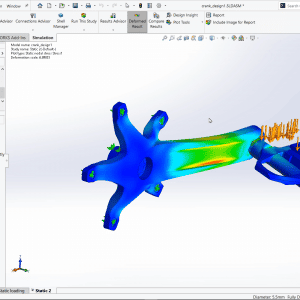
How do you know your products are safe, reliable, and will perform as expected without wasting material on overbuilt parts? FEA (Finite Element Analysis) gives you the ability to apply loads virtually to test the performance of individual parts up to complex assemblies. Sometimes 5 minutes and a very basic understanding of the load conditions

When you create a new simulation study in SOLIDWORKS Simulation, you will see lots of study types that are available to use. You may not know what each of them are or if each study is even applicable to the work that you do. This article will briefly go over each study type available and common questions that get answered by running these study types.

To avoid creating problems, SOLIDWORKS files must be moved or renamed carefully using one of the methods shown in this video.